

Want a higher level?
Find the points you need.
Your aim is to raise your total Gallery score and reach a higher level. Compare the points each plan adds with the coins it costs.
- Check your total and the gap to the next level
On the Gallery overview, look at your total score and level progress to see how many points you still need.
- Open “Improve score” to compare upgrades
Compare the extra points and estimated cost, then open the Gallery Set. Check whether your existing cards can produce a better squad before buying more.
- Once you choose a plan, follow the shared steps below
Buy any missing cards in the plan. Once they are recorded, sell the tradeable cards you do not need. Check the differences, cache the squad, then verify the score and level in game.
Choose plans around the gap to your target level. Verify your final total and level in the game.
Want tokens?
Choose an achievable grade first.
Your aim is to earn token rewards. Check which cards are missing, their estimated cost and the tokens available at each grade.
- Open “Get tokens” and choose a target
Use “Best value” to compare plans, or look at “Most tokens”. Start with a grade whose coin cost you are comfortable with.
- Open “Grades & missing-card plans”
Check the entire list, rather than one cheap card. If your existing cards are enough, do not buy more. Check the exact card versions before purchasing.
- Buy the missing cards, then follow the shared steps
Open the missing-card list for your target grade and use auto-buy. Confirm the cards are recorded, then sell any you do not need. Cache the plan, adjust the Gallery squad in the game and claim the reward.
Before buying, check whether you have already completed or claimed that grade so you do not spend coins twice.
Once owned, a card is recorded.
You do not need to keep it forever.
Gallery records the players you have owned. Buy the missing players in your plan and confirm they have been recorded. You can then sell tradeable cards you do not want to keep; their Gallery records remain.
① Choose a target and buy the missing players
Select a grade in “Grades & missing-card plans”. The plugin lists the cards your plan is missing so you do not need to find each player separately.
② Check the budget before starting the purchase
Review the card versions, price range and maximum total. Select “Start buying” to proceed. Afterwards, check that the purchased players have been recorded in Gallery.
③ Once recorded, list unwanted tradeable cards in bulk
Move the tradeable players you do not want to keep to your Transfer List. Open the plugin’s listing tool, select the cards and review their prices before listing them in bulk.
Only sell cards you do not want to keep. Coins arrive after a sale, with transaction tax deducted. Buying a card on the market does not make it First Owner.
A red outline shows
a suggested player to bring in.
Once you have the cards, open “Current best squad” and enable “Differences only”. The red outlines show players suggested for your in-game Gallery squad.
Select a card to compare the previous and suggested players. Make the swaps in the game. If EA’s auto-fill scores lower, follow these differences and match the card versions and First Owner status.
Before opening the game,
save the records you need.
Signing into the game disconnects the EA Web App. Cache your completed records first so you can look them up while playing.
- Start with “Cache completed records”
Open “History” → “Recently completed” and cache the records. Wait for completion. If you have cached them before, use “Update completed-record cache”.
- Need a squad reference? Open that Gallery Set too
Select “View series” and wait for the players and scores to appear. Open each Gallery Set you want to reference before switching to the game.
- Keep this Web App page open, then sign into the game
After signing into the game, return to the original Web App page to view the saved records and squads. Do not refresh or close it while using the reference.
Caching records does not save every squad automatically
Open each Gallery Set you want to reference and wait for all players to appear. Caching completed records requires Pro.
While disconnected, the Web App shows previously saved data. Reconnect and refresh the cache to see the latest progress.
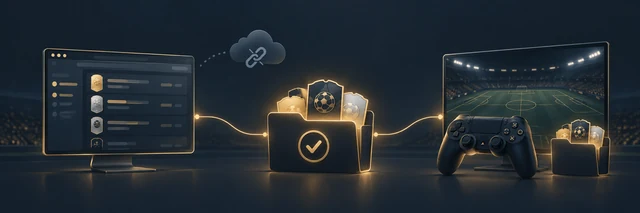
Make the swaps in game,
then check your result.
Open the same Gallery Set in the game’s Gallery. Compare it with your cached plan and adjust the squad. Then check the result for the goal you chose at the start.
- Match the players correctly
Follow “Current best squad”, including the exact card versions and First Owner status.
- For levels, check the score. For tokens, check the reward.
To level up, verify your in-game total score and level. To earn tokens, check the Gallery Set meets its target, claim the reward when prompted and confirm the tokens arrived.
Is this group finished?
These checkboxes only track your reading progress; they do not act in the game.
Stuck on a step?
Find the answer here.
Where is Gallery in the FC27 Web App, and what if it is missing?
After signing in to EA FC27 Web App with EZFC enabled, open Gallery from the Web App navigation to review scores, missing cards and plans. Adjusting Gallery squads and claiming tokens still require the game.
If the entry is missing, check that you are using FC27 Web App and that EZFC is installed and enabled. Update the script and refresh the Web App. If it is still missing, follow the installation guide to check your browser's script or extension settings.
Can the plugin fill my Gallery squad automatically?
No. It helps you compare plans, buy missing players and list cards in bulk. You must adjust your Gallery squad in the game. Cache the plan first so you can refer to it while playing.
Will selling a player remove the Gallery record?
The Gallery records players you have owned. Once a card is recorded, selling it preserves its Gallery record. You do not need to keep every card in your club.
Do coins return as soon as I use bulk listing?
The plugin lists cards for sale. You receive coins only after a player sells, based on the actual sale price after transaction tax.
Which entry should I use for levels or tokens?
For total score and levels, start with “Improve score”. For tokens, start with “Get tokens” and compare cost with rewards. After choosing a plan, follow the buying, comparison, caching and in-game steps.
Why does selecting a red outline not swap the player?
The outline indicates a suggested replacement; it does not change your in-game squad. Select the card to compare players, then make the change in the game.
Will buying a cheap plan immediately award the tokens?
No. The cost is only an estimate for missing cards. You still need to arrange the squad, reach the required score and claim the reward in the game.
Why has a missing-card suggestion disappeared?
Check completed records and verify in game whether that grade is already reached or claimed. If completed, do not buy again. Otherwise, update the data and review the plan.
Why is there a token reward but no missing-card plan?
Check whether the grade is already completed, then update the data and reopen the Gallery Set. Do not buy random cards while the plan is empty.
Where is one-click caching, and does it need Pro?
Open “Gallery” → “History” → “Recently completed” and select “Cache completed records”. It requires Pro. To view a squad, also open “View series” beforehand and wait for all players to load.
Why cache before signing into the game?
Signing into the game disconnects the EA Web App. Caching saves records you can still consult while playing. Open the relevant Gallery Set beforehand if you need squad references.
Should I refresh and sign in again when disconnected?
Keep the original page open while comparing records in the game. Do not refresh it. Any data you did not save must wait until the Web App is connected again.
The records say completed. Why have I not received tokens?
Reaching the target in the Web App does not mean you claimed the in-game reward. Check the score and reward in the game, claim it and confirm the tokens arrived.
Why does EA’s auto-filled squad score less than the plan?
First Owner status, card versions and squad bonuses affect the score. Follow the suggested replacements in “Current best squad”, then verify the in-game score.
How many points and coins does FC 27 Gallery level 10 need?
Use the target points currently shown in game. Purchase costs depend on your collection, First Owner status, card versions, bonuses and market prices; there is no fixed coin cost for every club. Check the points gap and compare owned-card and purchase plans. Check and claim token rewards in game.
No matching question. Try “cards”, “cache” or “tokens”.
Once you have done it once, it gets easier.
Choose a goal → buy missing cards → verify records and sell if needed → cache the plan → adjust the squad in game and check rewards.